uSymphony includes an Advanced CodeLens feature for Unity. It displays inline insights in your code, showing where classes, methods, and fields are used within the Unity environment. This includes not only direct code references but also implicit usages—such as field values assigned in the Unity Editor and connections to various assets.
Advanced CodeLens for Unity not only displays inline insights for simple types like strings and integers but also extends its functionality to show values for nearly all Unity SerializedPropertyType types. This includes complex types such as Vector3, Bounds, Color, and many others.
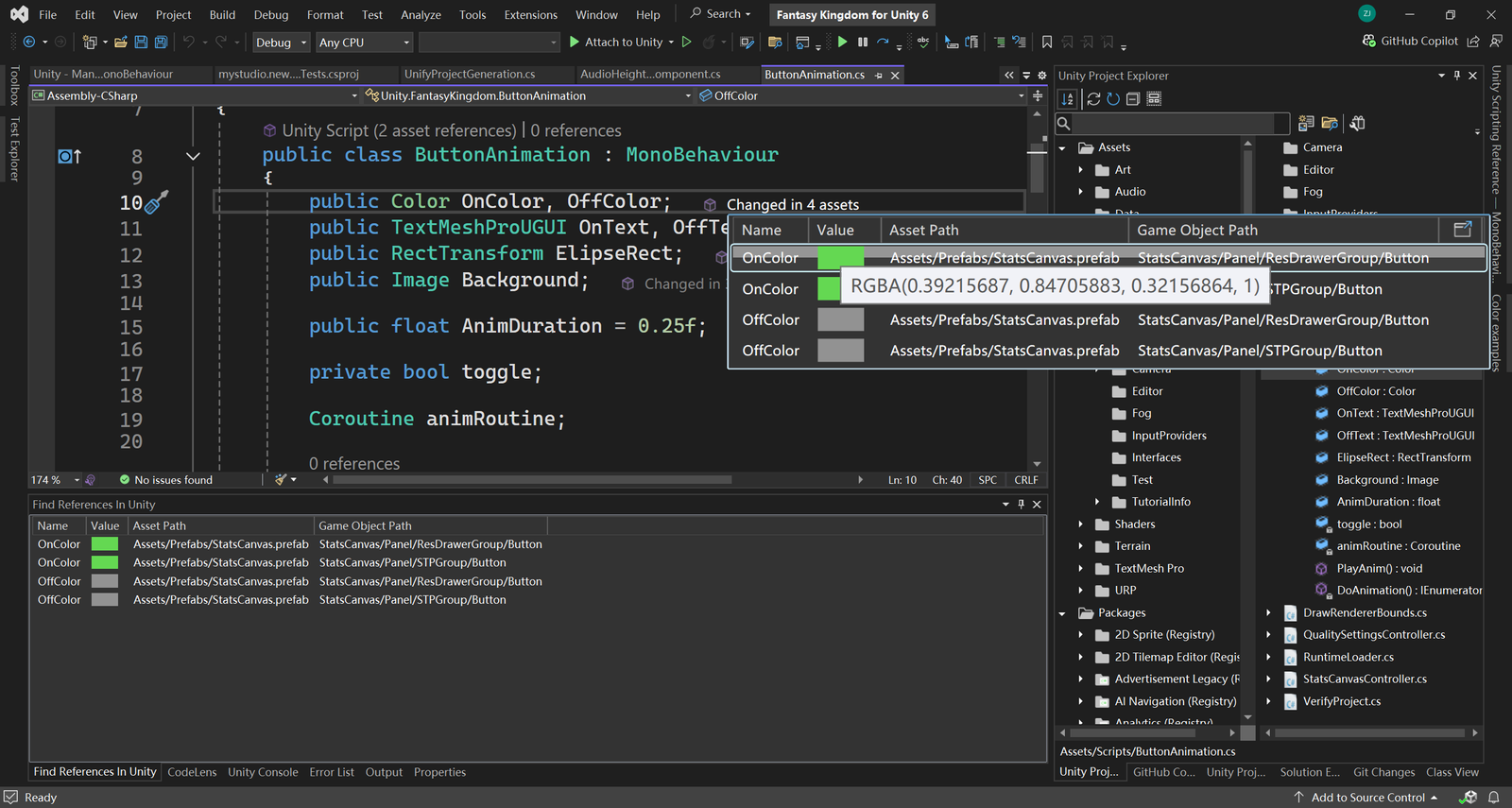
Advanced CodeLens seamlessly integrates with the Unity Project Explorer, which is provided by uSymphony. When you click on a CodeLens reference, it navigates directly to the Unity Project Explorer, displaying the relevant reference asset within Visual Studio itself. This means you can inspect and interact with the asset without leaving Visual Studio, streamlining your workflow and reducing the need for context switching between different applications.
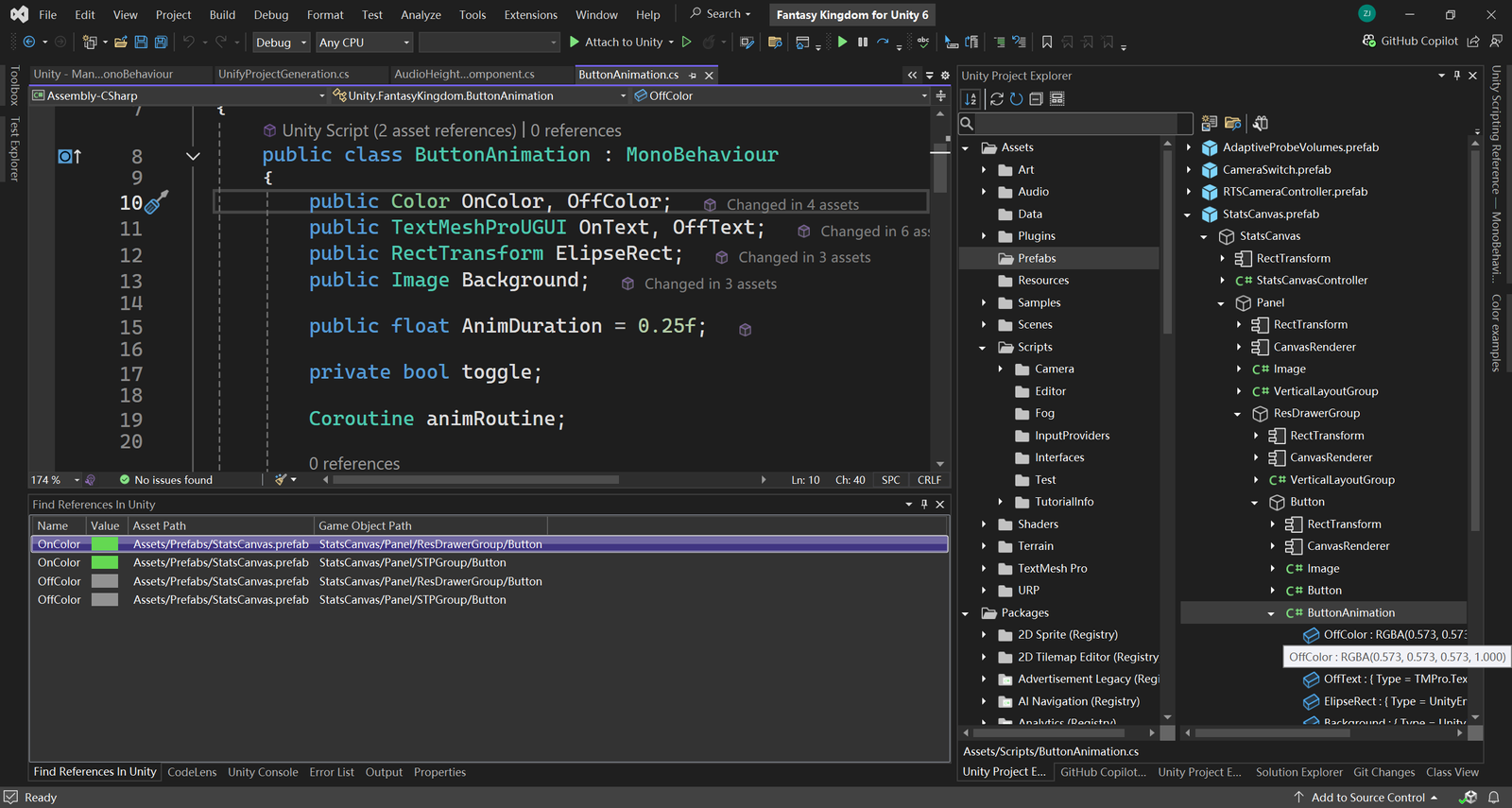
Additionally, it provides direct navigation links, allowing you to jump seamlessly from Visual Studio to the corresponding elements in the Unity Editor.