Configurable Play Mode Refactoring
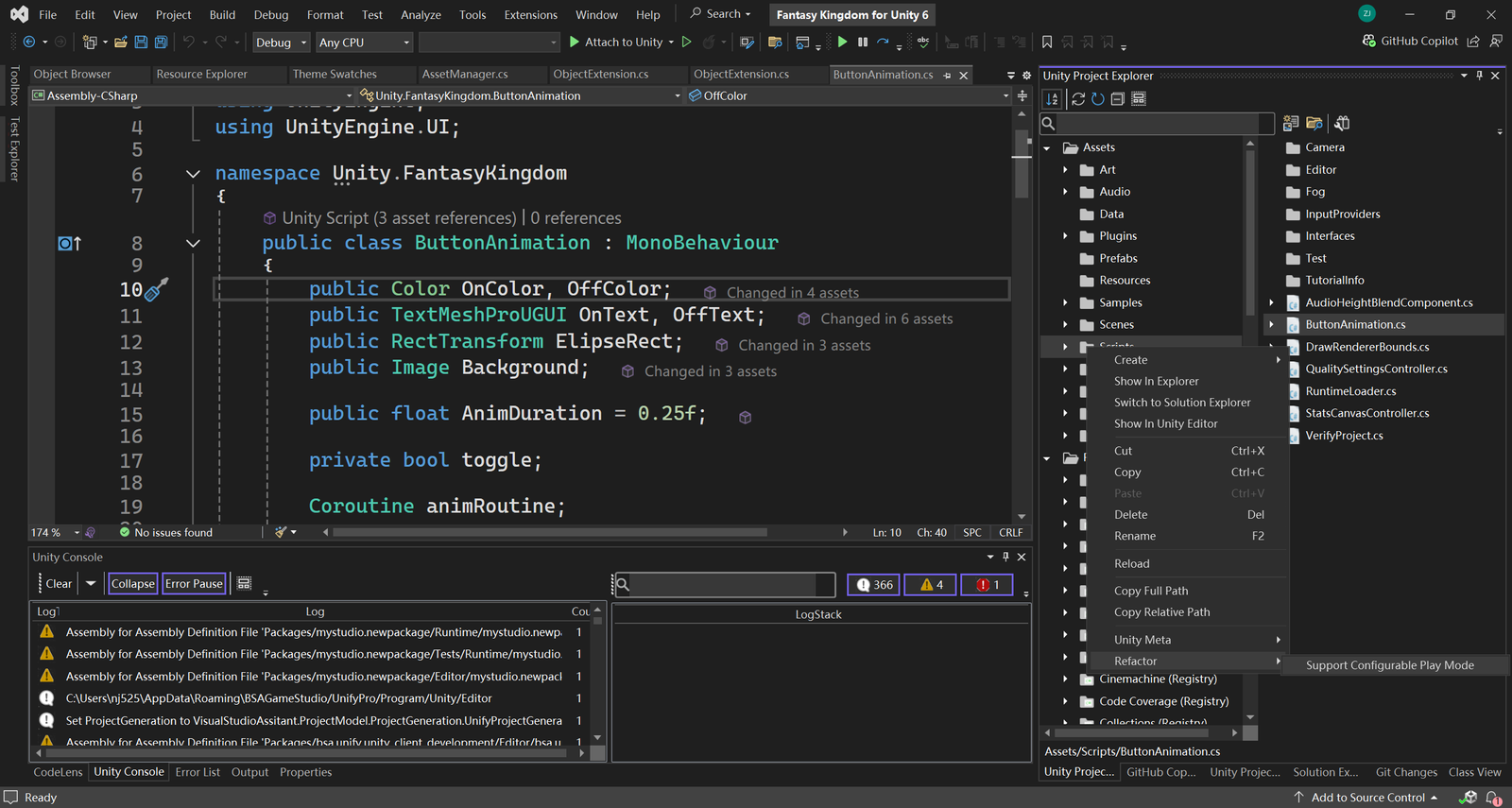
uSymphony includes an Advanced Refactor Feature that simplifies enabling Configurable Play Mode by automating necessary modifications to your scripts. This ensures your application state is correctly reset without the need for a full domain reload, enhancing iteration speed without sacrificing stability.
Why Configurable Play Mode?
- Default Behavior:
Unity typically performs a domain reload when entering Play mode. This process resets the application state—such as reinitializing static counters and variables—so the game starts fresh, just as it would in a new build.- Faster Iteration:
Domain reloads, while useful for resetting state, can be time-consuming. Disabling them can significantly speed up the iteration process during development.
- Faster Iteration:
The Trade-Off
- State Reset Responsibility:
When you disable the domain reload for faster iteration, you lose Unity’s automatic state reset. This means that developers must now manually handle state initialization in their code. - Potential for Errors:
Manually resetting state increases the risk of errors and inconsistencies, as missing a reset could lead to unexpected behavior during Play mode.
How uSymphony Helps
- Automated Script Refactoring:
uSymphony’s Advanced Refactor Feature scans your script files in bulk and automatically adjusts them to support manual state resets. It identifies static fields and other elements that rely on the domain reload and modifies them accordingly. - Maintained Consistency:
By automating these changes, uSymphony ensures that your application state is properly reset even when domain reload is disabled, preserving the intended behavior of your project. - Enhanced Workflow:
This automation reduces manual coding efforts and minimizes the risk of errors, allowing you to enjoy faster iteration times without compromising the stability and consistency of your application state.
In summary, uSymphony’s Advanced Refactor Feature bridges the gap between rapid iteration and reliable state management by automating the necessary code changes to support Configurable Play Mode, addressing the trade-off between speed and manual state handling.
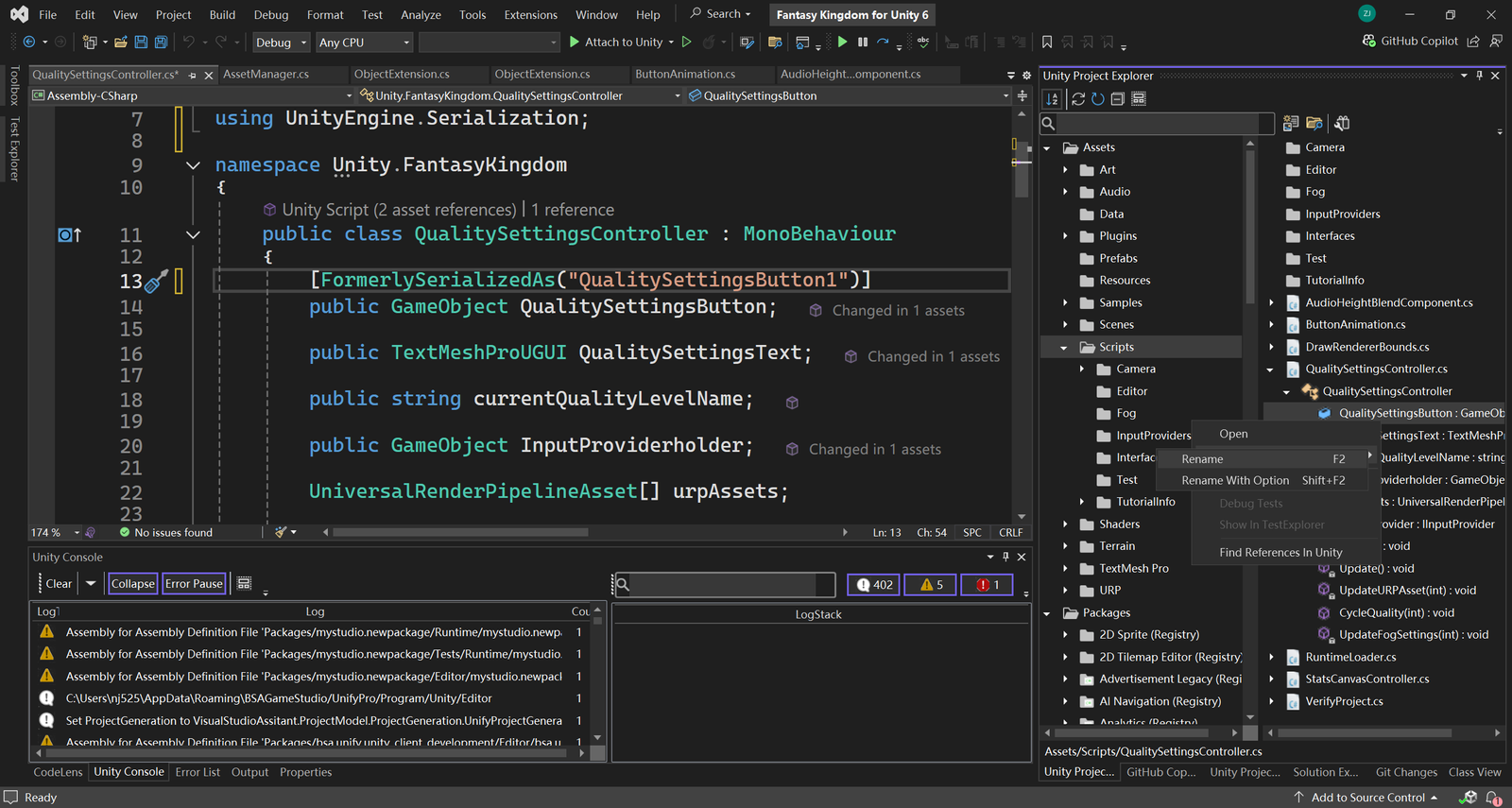
Enhanced Rename Feature
uSymphony also includes an Enhanced Rename Feature that helps preserve Unity serialization when renaming public member variables in MonoBehaviour classes. Changing a public member variable typically risks breaking serialization because Unity uses the variable’s name to map serialized data. To address this, uSymphony automatically detects such changes during rename refactoring and offers to add the FormerlySerializedAs attribute to the modified member. This attribute tells Unity’s serialization system what the field’s previous name was, ensuring that existing serialized data continues to work correctly.